Your keyboard is now the console.

Impetus turns your MPE keyboard into a professional DAW control surface.
No new hardware required.

Buy Impetus Download free trial
MPE KEYBOARD WITH Y-AXIS (SLIDE) · macOS 13+ · APPLE SILICON ONLY
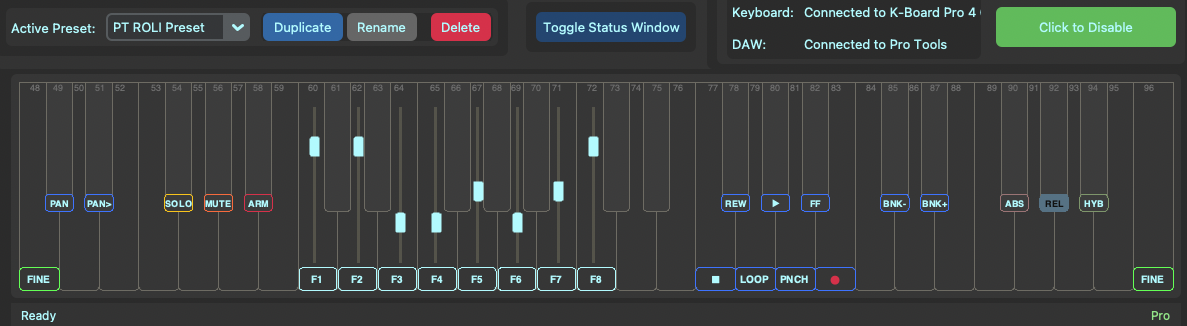
App screenshot — live keyboard map THE LIVE 49-KEY MAP — EVERY ASSIGNMENT, COLOR-CODED BY FUNCTION, WITH LIVE VISUAL FEEDBACK
PRO TOOLSLOGIC PROABLETON LIVECUBASENUENDOSTUDIO ONEREAPERDAVINCI RESOLVE+ ANY HUI / MC DAW
ROLI Seaboard 49 and 24 keyKeith McMillen Instruments K-Board Pro 4Apple SiliconmacOS 13+
FEATURES

A customizable control surface + shortcut and macro command center, built on the keyboard you already have.

Your mix, under your fingers

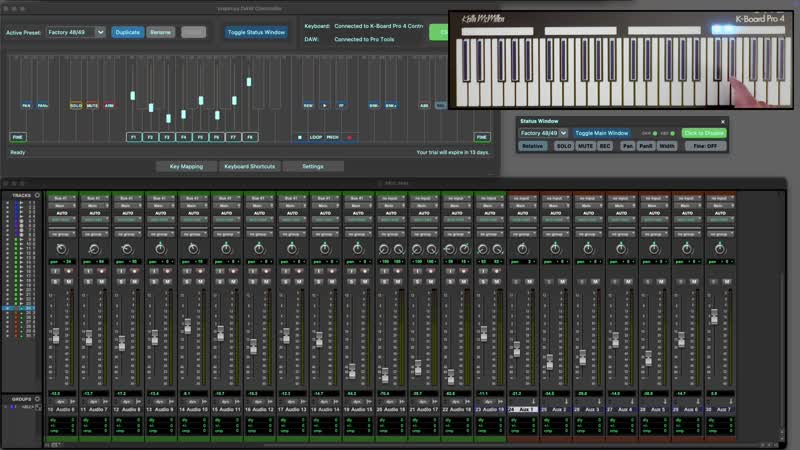
8 faders, panning, banking, solo, mute, record-enable — all mapped to the keys you already play, with Absolute, Relative, Hybrid, and Fine modes for exactly the fader response you want.

Faders, panning, banking demo

Full transport control

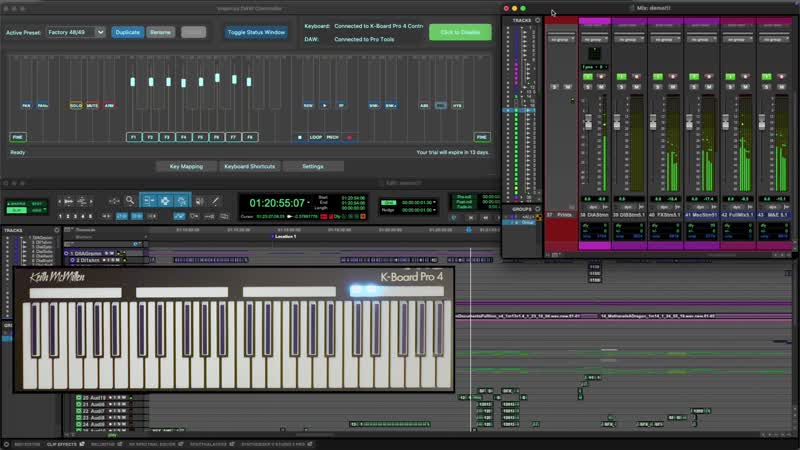
Play, stop, record, fast-forward, rewind, punch, and loop — all from assigned keys. Your hands never have to leave the keyboard.

Transport controls demo

System-wide shortcuts and macros

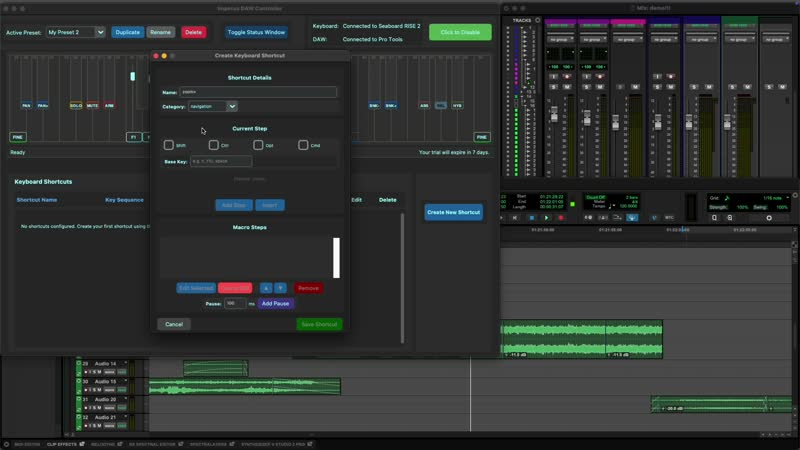
Any key can fire any keyboard shortcut or multi-step macro, with all modifier combos included. Fully customizable, and works in any application,
not just your DAW.

System-wide shortcuts demo

Build the layout that fits you

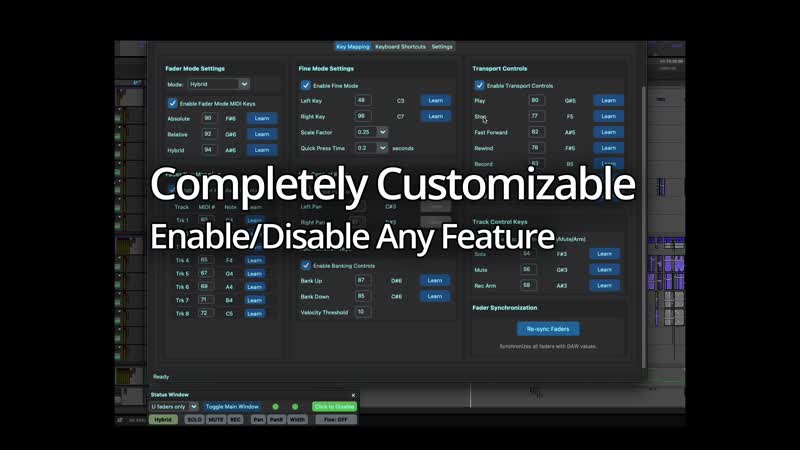
Turn any function on or off, and assign it to any key — click Learn, press a key, done. Build exactly the control set you need, with conflict detection to make sure no two functions ever fight over the same key.

Learn and customize demo

Every major DAW — and your video editor too

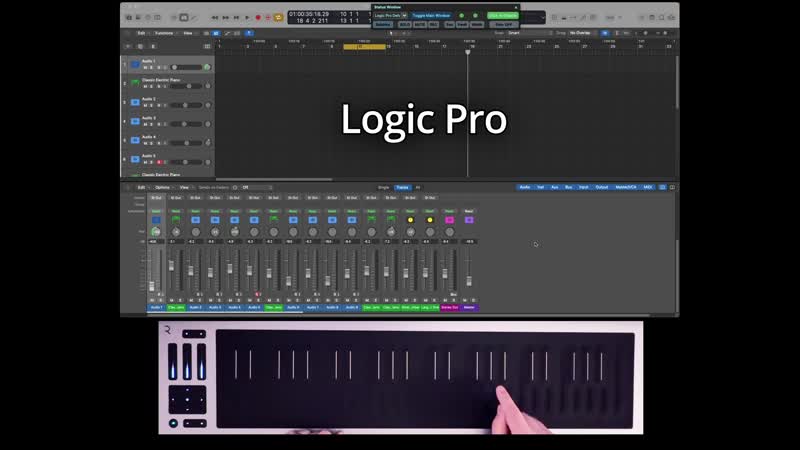
Works with Pro Tools, Logic Pro, REAPER, DaVinci Resolve's Fairlight page, or any other HUI or Mackie Control compatible DAW, so Impetus fits right into your existing setup.

Multiple DAWs demo

Everything in view, exactly how you want it

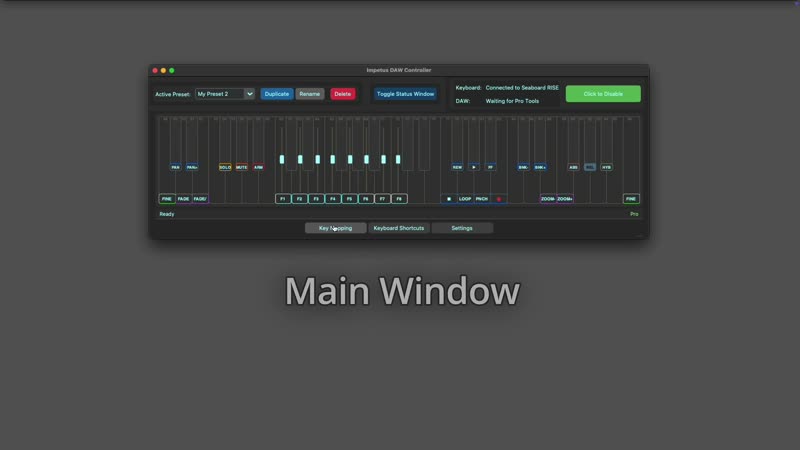
Key mapping, shortcuts, and settings — all in one tabbed window, with live visual feedback as you work. Pop out a compact status window for at-a-glance visuals. Switch presets instantly with no restart. Keep either window open, both, or none at all.

Live key-map display and preset switching demo
FAQ

Questions, answered.

›What exactly is Impetus?

A macOS app that turns MPE keyboards into full professional DAW control surfaces — 8-channel faders, transport, track controls and banking — plus a system-wide programmable shortcut and macro commander. It does the work of a dedicated hardware control surface on your desk.

›How does it talk to my DAW?

Over HUI or Mackie Control — the same industry-standard protocols used by $500–$2,000 hardware control surfaces. Your DAW sees a control surface it already knows. No plugins, no scripts.

›Will it interfere with normal playing?

No. Just disable Impetus with one click and your keyboard behaves exactly as before.

›Which keyboards are supported?

Any MPE keyboard with slide (Y-axis) on the keys. The ROLI Seaboard, Seaboard M, and the KMI K-Board Pro 4 are the keyboards we test against most.

›Which DAWs work with Impetus?

Any DAW supporting HUI or Mackie Control — including Pro Tools, Logic Pro, REAPER, Ableton Live, Cubase, Studio One, and more. It also works with video editors that support the same protocols, like DaVinci Resolve's Fairlight page.

›Can it control things outside my DAW?

Yes — that's the part no usual hardware surface can do. Any key can trigger system-wide keyboard shortcuts or multi-step macros in any application on your Mac.

›Which Macs does it run on?

macOS 13 and later, Apple Silicon (M1 and newer).
*Intel Macs are not supported.

›Can I use it on more than one computer?

Yes — each license includes 2 activations, so you can install Impetus on two Macs (a laptop and a studio machine, for example).
Try it free. Buy it once.

MPE KEYBOARD WITH Y-AXIS (SLIDE) · macOS 13+ · APPLE SILICON ONLY

14-day free trial

Full features, no card required. After that, Impetus still runs with reduced functionality. Factory presets, faders, panning, and banking stay available.

Download free trial
$99 $79
INTRODUCTORY PRICE (Ends Oct 8)

Yours to keep, updates included.

Buy now Secure checkout